Clipboard Manager for ELA Teachers
How ELA Teachers Use Clipboard History Pro
-
Essay Feedback in Two Clicks
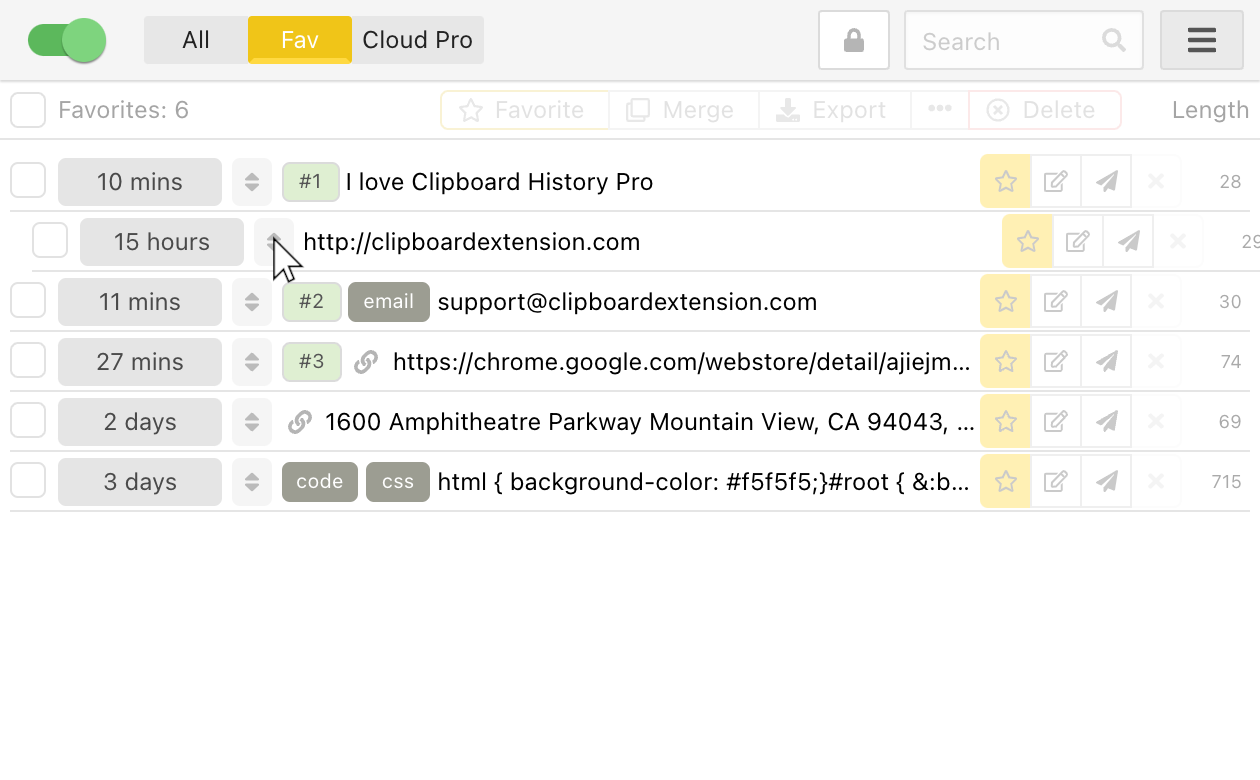
Store 50+ common writing feedback comments (thesis statements, evidence analysis, transitions) in the Favorites tab. Apply the same thoughtful critique to 30 papers in seconds, not minutes.
-
Grade Papers Anywhere (Finally!)
Start grading on your school computer, continue on your couch. Instantly transfer all your feedback templates between devices with cloud sync that takes 3 seconds to set up.
-
Still Grading Papers at 11PM?
Set up in under 2 minutes, see results with your very next stack of essays.
What ELA teachers say about us
"As a 7th grade ELA teacher with 120+ students, I have detailed feedback I give repeatedly. Now I just click twice instead of typing the same comments 30+ times per assignment."
I organized 43 different writing feedback comments into categories (thesis, evidence, analysis, mechanics). Now I can give detailed, high-quality feedback to 150 students weekly without typing the same phrases repeatedly. I'm saving about 8 hours every week, and my students are getting MORE thorough comments!
Yesterday, I graded 32 argumentative essays in ONE class period rather than taking them home. Having my 27 go-to comments on thesis statements, evidence, and counter-arguments in the favorites tab saved me 5+ hours. The floating mode lets me keep my feedback visible while moving between Google Classroom assignments!
I teach three different grade levels and use Canvas, Google Classroom, AND Flipgrid. This tool saves all my feedback across platforms. I created different comment sets for narrative vs. expository writing, and I even have a "positive feedback" collection to balance critique with encouragement.
I was skeptical, thinking my Google Doc of comments was sufficient. This is 100x better. I've organized 63 specific literary analysis comments by category, and I can instantly search, edit and apply them. I'm giving better feedback to 87 AP students while cutting my grading time nearly in half.
I use this extension DAILY for IEP feedback, differentiated essay comments, and parent communications! I've created specialized comment banks for my SPED students with scaffolded feedback aligned to their learning goals. The cloud sync means I can work on my planning period computer or at home - complete game-changer!
Before: 25+ hours grading essays each week. After: Under 10 hours for the SAME quality feedback. I've created a library of 87 differentiated writing comments organized by skill level. The text expander lets me type "#thesis3" and instantly paste my detailed thesis feedback. Our entire English department now uses this system!
Grade Faster, Teach Better, Go Home Earlier!
Common Questions from ELA Teachers
"I already use Google Docs for my comments."
Unlike Google Docs, you don't need to switch between windows, search for the right comment, copy, then paste. With Clipboard Pro, your comments are always one click away—even while directly in Canvas, Google Classroom, or any platform.
"This sounds complicated to set up."
The extension installs in 15 seconds. You'll save your first comment in under a minute. Plus, we provide a free ELA Feedback Pack with 50 ready-to-use comments for common writing issues. Most teachers master the basics in under 5 minutes.
"I'm not very tech-savvy."
If you can copy and paste, you can use this tool! If you get stuck, email [email protected] and a person will answer.
"Is this secure for student information?"
Your clipboard history stays on your device. It goes to our cloud only if you sign in and turn on cloud sync, and then it travels over encrypted connections to Google Cloud. FERPA does not certify vendors, so we do not claim a FERPA certification. Follow your school's rules about where student information may be stored. Districts with questions can email [email protected].