Are You Spending Too Much Time On...
-
Re-typing the Same Note or Reply
Writing the same normal-exam note, discharge instructions, or "thanks for reaching out" reply dozens of times a shift. Every retype is a minute you don't get back, and a chance for a typo.
-
Digging for the Right Template
Your EMR's or helpdesk's own template picker means clicking through menus, scrolling a long list, or searching a shared doc every single time you need boilerplate text.
-
Ready to Get Those Minutes Back?
Set up your first shortcut in under a minute and start reusing it immediately in any text field, in any browser-based system you already use.
A Clipboard Manager and Text Expander Built for the Browser You Already Chart or Reply In
Searchable Clipboard History
Every item you copy -- a lab value, an order number, a ticket ID, a URL -- is saved and searchable, so nothing gets overwritten before you can paste it. Works for:
- Charting templates and macros
- Canned support replies
- Order numbers and ticket IDs
- Links to internal docs and runbooks
Text Expansion Shortcuts
Type a short abbreviation and watch it expand to your full note or reply, right inside the field you're already typing in -- no switching tabs or menus. Ideal for:
- Normal-exam and review-of-systems templates
- Discharge and follow-up instructions
- Support macros and troubleshooting steps
- Standard greetings and sign-offs
PIN Lock for Shared Workstations
Lock your clipboard history and settings behind a password, with an option to auto-lock on a timer or as soon as the popup closes. Useful for:
- Shared clinic or nursing-station computers
- Hot-desked call-center seats
- Devices used by more than one staff member per shift
- Keeping personal shortcuts private from co-workers
Copy something
Experience Clipboard History Pro in your browser
Try our interactive demo below, then learn more about what makes a great clipboard manager.
Your Clipboard
Easy Organization
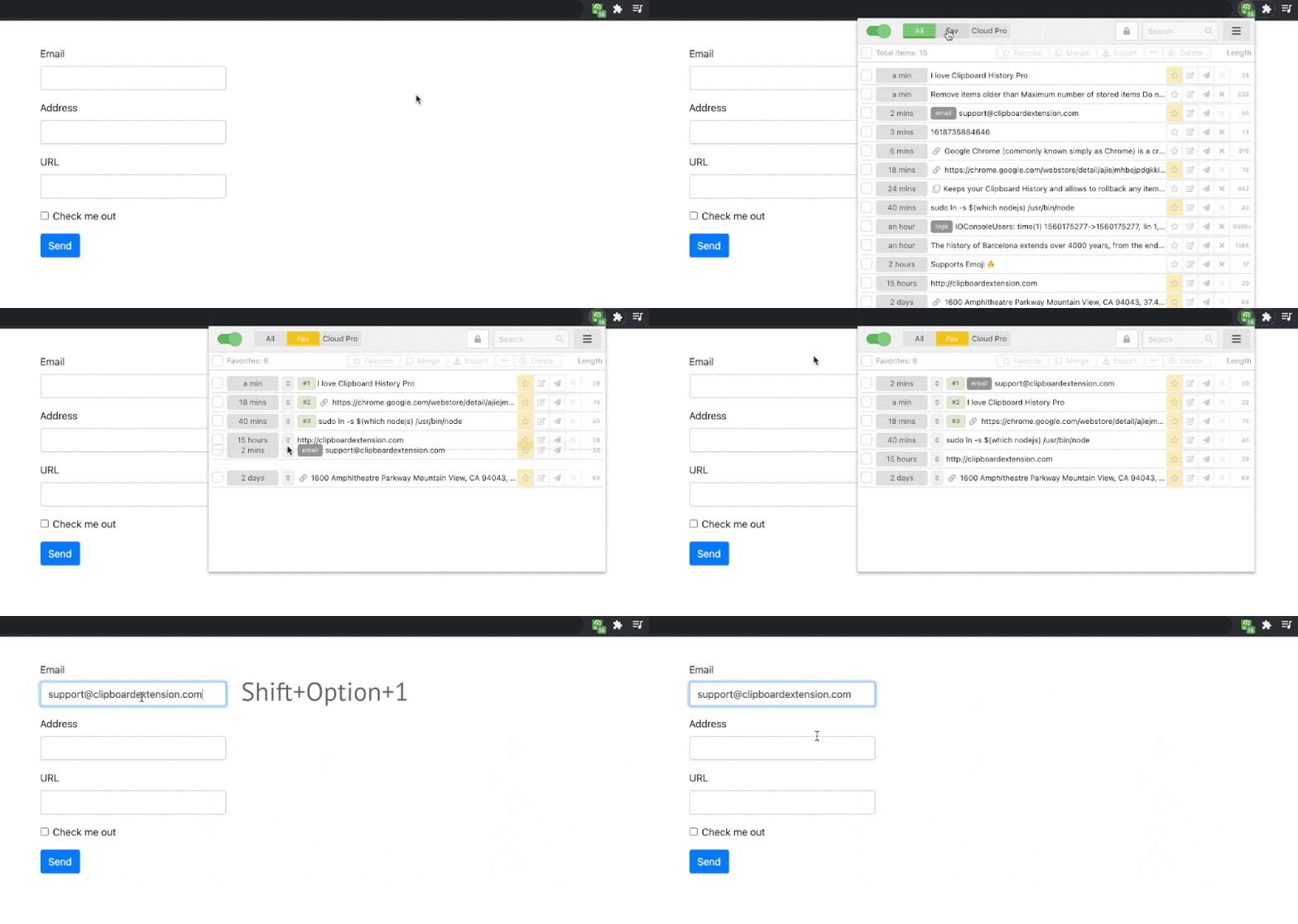
- Organize clips by tag or search term
- Favorite your most-used templates
- Keep order numbers and IDs on hand
- Review history across a whole shift
Personalized Snippets
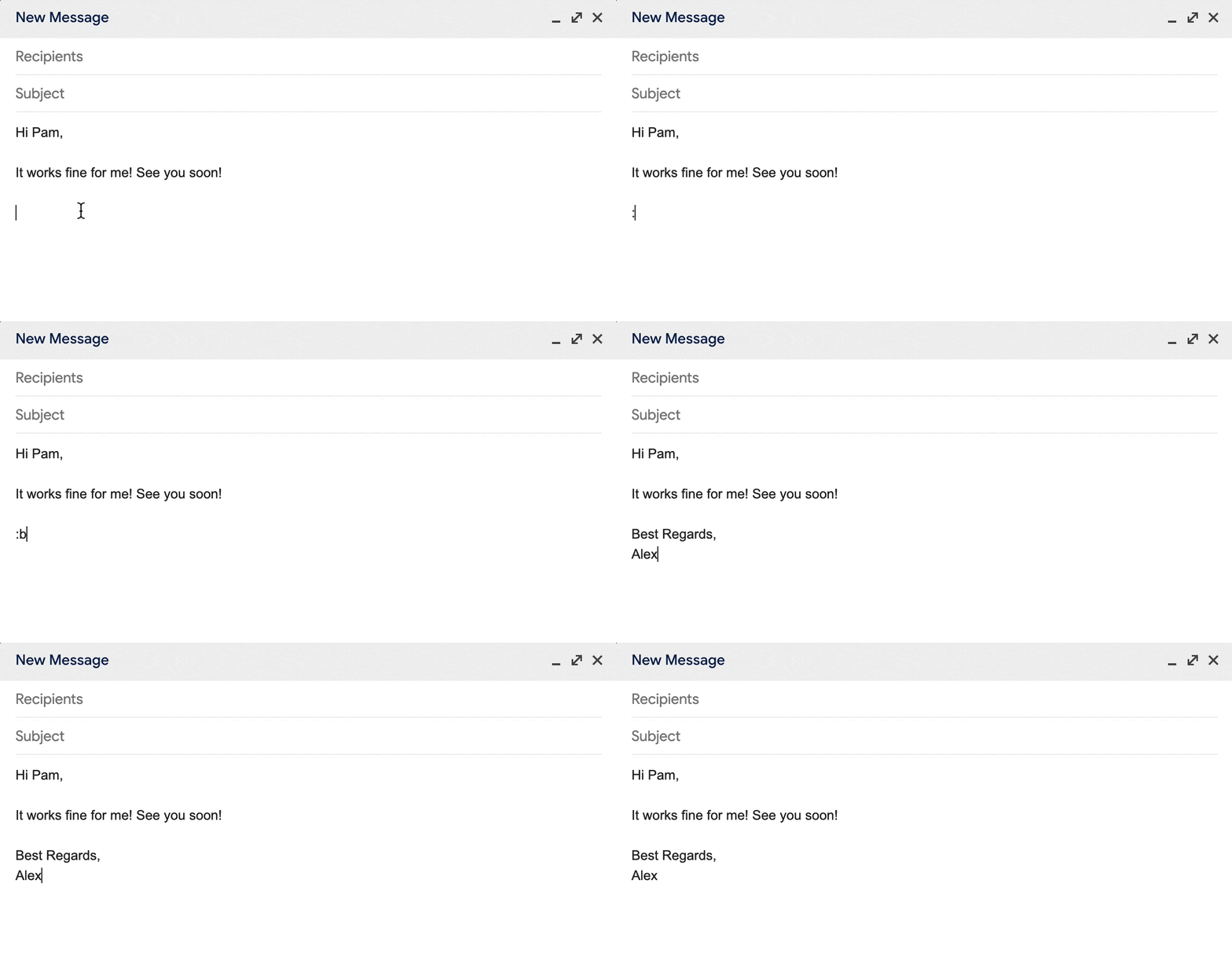
- Charting and intake templates
- Discharge instructions
- Support macros and troubleshooting steps
- Email signatures and sign-offs
Extra Layer of Privacy
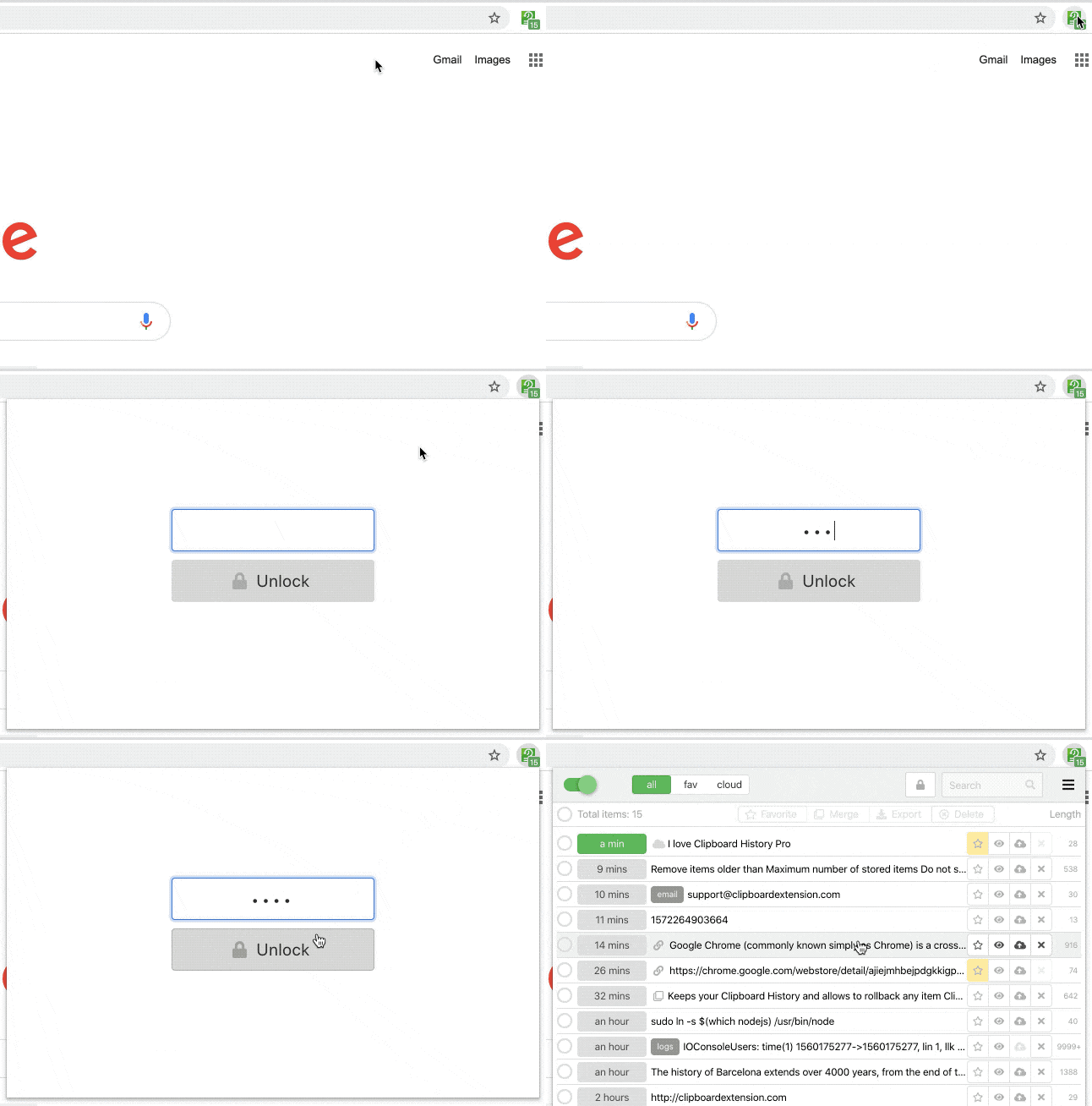
- Clips are stored locally by default
- Cloud sync is optional and encrypted
- Password/PIN lock on the popup and options page
- Not a HIPAA-covered tool -- no BAAs signed, so keep cloud sync off for PHI if your policy requires one
Common Questions from Clinicians and Support Teams
"My EMR/helpdesk already has a template picker."
Built-in template pickers usually mean clicking through a menu or searching a list each time. Clipboard History Pro's shortcuts expand directly in the field you're typing in -- you never leave the note or ticket you're working on.
"I can't risk a HIPAA problem."
Clips are stored locally on your device by default. Cloud sync is optional, encrypted, and off unless you turn it on. We are not a HIPAA-covered entity and don't sign BAAs, so if your compliance policy requires one, leave cloud sync off and check with your compliance team before pasting PHI into any browser extension.
"Will my templates show up on the wrong computer?"
No. Cloud sync is opt-in and tied to the Google account you sign into the extension with -- it won't sync to a device you haven't signed into.
"Is this hard to set up on a locked-down work machine?"
It installs like any Chrome, Edge, or Firefox extension in under a minute. If your organization manages extensions centrally, check with your IT admin before installing on a work device.
Simple, Transparent Pricing
Frequently Asked Questions
Does Clipboard History Pro work inside my browser-based EMR or helpdesk tool?
Yes. The extension works in any text field on any website loaded in Chrome, Edge, or Firefox, including browser-based EMR/EHR portals and helpdesk or CRM tools. Snippets expand the same way they would in a plain text box.
Is it safe to use with patient information (PHI)?
Clips are stored locally on your device by default. Cloud sync is optional and encrypted in transit and at rest if you turn it on. We are not a HIPAA-covered entity and don't sign Business Associate Agreements (BAAs) -- if your organization requires one, keep cloud sync off and check with your compliance team before pasting PHI into any browser extension.
Can a clinical or support team share a library of canned snippets?
Individually, Pro gives you unlimited personal text-expansion shortcuts. For teams of 10 or more who want centralized snippet management, our Team Enterprise plan is $59.99 per seat per year -- contact us for a quote.
How many text expansion snippets do I get for free?
The free plan includes 5 text-expansion snippets forever, plus unlimited clipboard history and favorites. Pro ($5.99/mo or $60/yr) unlocks unlimited snippets, cloud sync, and PIN lock.
Does the PIN lock protect my clipboard on a shared workstation?
Yes. Password Lock (Pro) requires a password before your clipboard history or options page can be viewed, and can be set to lock immediately on popup close or on a timer -- useful on shared clinic or call-center machines.
Can I sync my snippets if I move between workstations?
Yes. With Pro, cloud sync keeps your shortcuts and clipboard history in sync on every browser where you sign in, so your templates follow you between rooms or desks.
Still have questions?
Email us at support@clipboardextension.com. We'd be happy to help you get started.